Corpore Sano
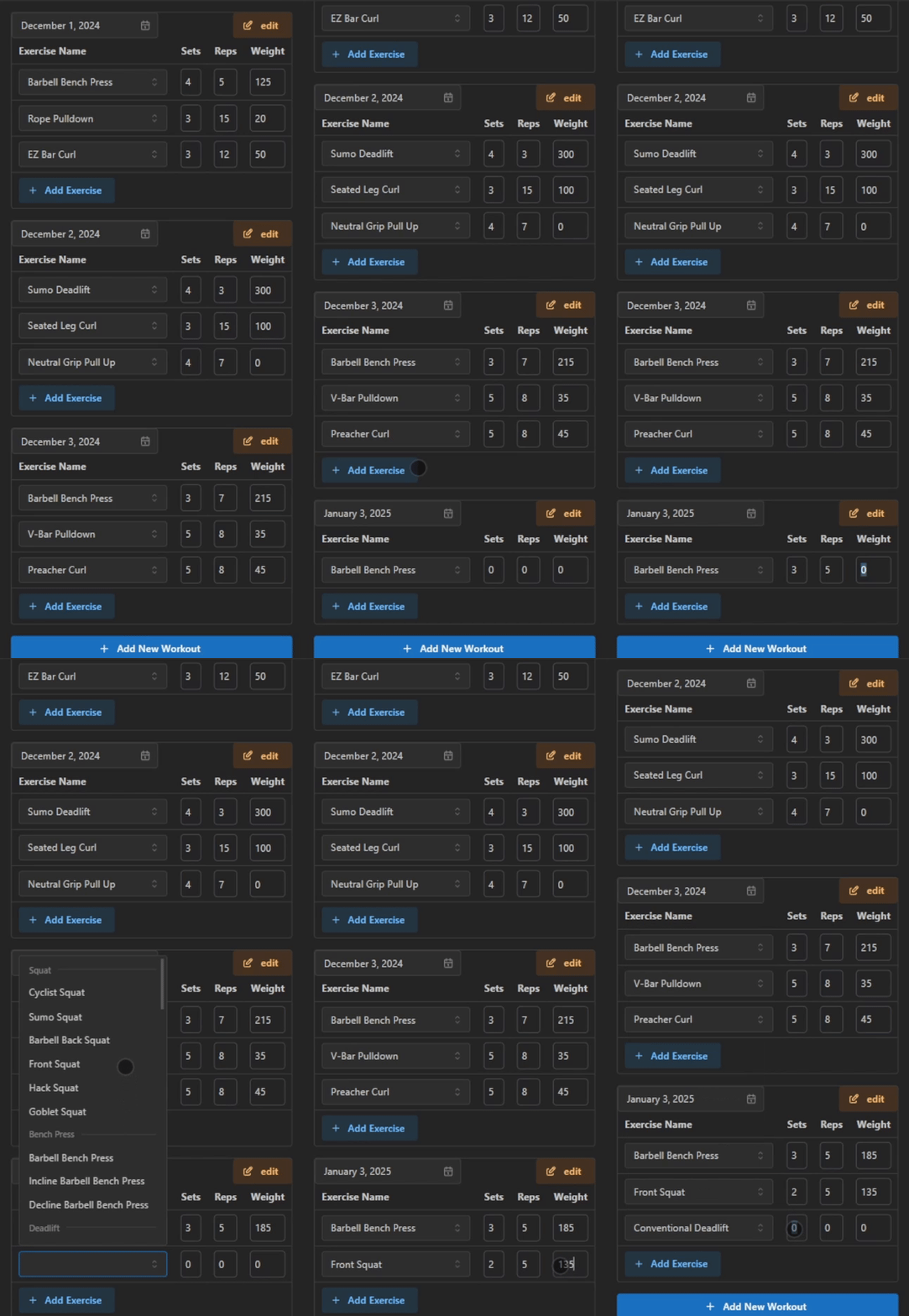
Corpore Sano is a cross-platform workout tracker built as a shared monorepo containing a React web app and a React Native / Expo mobile app. Users can create custom exercises and routines, log workouts, and view their full workout history across both platforms. State management is handled with Redux Toolkit, Firebase provides the backend and auth, and the codebase is covered by Jest tests.
Source Code & Demo
Key Features
- Create custom exercises and routines
- Log workouts and track progress
- View workout history
Code Highlights & Design Choices
This was my first time working with the Firestore service from Firebase, so I followed some advice and compartmentalized the API calls to Firestore to another file. This allowed me to scale the application's features while easing the debugging process.
Process & Workflow
Since this was a solo project, I used a simple git repository to track changes and periodically would create branches to work on several features simultaneously. Project planning occured at the beginning of each day that I sat down to work on it, and at the end of a work session, I would reevaluate the tasks in the backlog in terms of their priority
Challenges & Solutions
Perhaps the most time consuming part of this project was learning how to work with a UI framework, Mantine, in this case.
The best way I found to learn was to dive in and start building components. I started with the most basic components and worked my way up to more complex ones. Since I was used to building components from HTML and CSS, it took a bit of time to familiarize myself with the Mantine framework. This set me up well in my following projects since a lot of React UI frameworks share similar concepts.
Screenshots & Demos
Outcomes & Impact
I began the project with the intent to replace my usual fitness tracker, but given how clunky it is, I think I will have to wait for a later iteration to switch. I am happy with the progress I made and the skills I learned, but I think I will need to spend more time on the project to make it more user-friendly and deliver on the features I planned.
What I Learned
Working on this project taught me a lot about how to structure a web application and how to work with a database. I learned how to work with a UI framework and how to build components in a more efficient way. I also learned how to compartmentalize my code to make it more readable and maintainable. If I were to start again, I would spend more time planning the project and breaking down the tasks into smaller pieces as working on it day by day made me realize the benefits of planning.